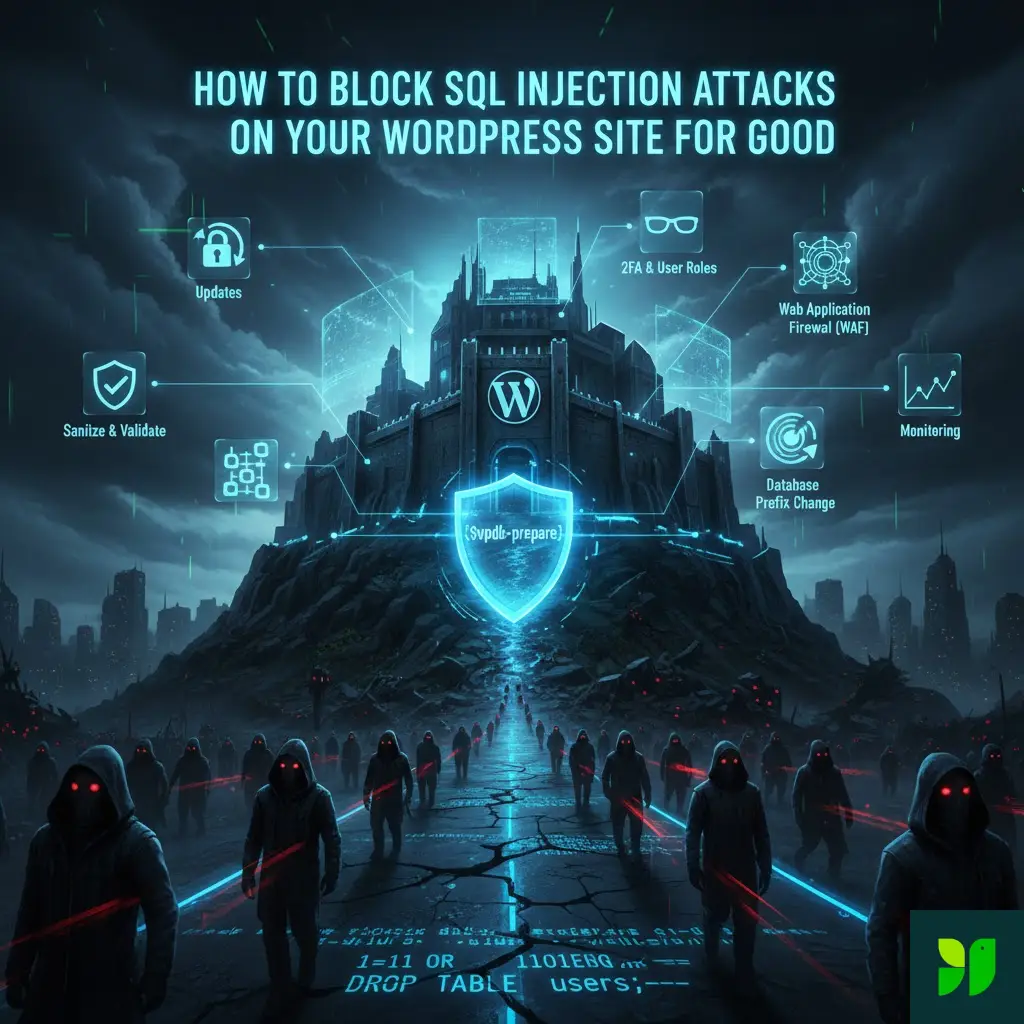
In the world of cybersecurity, there is an old saying: “Hackers don’t break in; they log in.” But when it comes to SQL Injection (SQLi), hackers don’t even need a password. They simply trick your website into handing over the keys to the kingdom.
If you run a WordPress site, you are sitting on a goldmine of data—user emails, hashed passwords, site configuration, and perhaps even customer transaction records. To a cybercriminal, an unsecured WordPress database is like an unlocked vault.
In this exhaustive guide, we are going to move past the “install a plugin” advice. We are going to look under the hood of WordPress, understand the mechanics of a database breach, and implement a multi-layered defense strategy to block SQL injection attacks for good.
The Anatomy of a Silent Killer: What is SQLi?
To defeat an enemy, you must first understand their tactics. SQL (Structured Query Language) is the language your WordPress site uses to talk to its database (usually MySQL or MariaDB). When you click on a post, WordPress sends a “Query” to the database: “Hey, give me the content for the post with ID #123.”
An SQL Injection occurs when an attacker inserts (injects) their own malicious SQL code into an input field—like a search bar, a contact form, or even a URL parameter—and your website accidentally executes it.
The “1=1” Trick
The most famous example is the OR 1=1 statement. Imagine a login form. The code behind the scenes asks: SELECT * FROM users WHERE username = 'admin' AND password = 'password123'
A hacker enters ' OR 1=1 -- into the username field. The query becomes: SELECT * FROM users WHERE username = '' OR 1=1 --' AND password = ...
Because 1=1 is always true, and the -- tells the database to ignore the rest of the line (the password check), the database simply logs the hacker in as the first user it finds—usually the Site Administrator.
Why WordPress is the #1 Target
WordPress powers over 40% of the internet. From a hacker’s perspective, finding a vulnerability in a popular WordPress plugin is “scalable.” If they find a hole in a gallery plugin used by 100,000 sites, they can automate a bot to attack all 100,000 sites in a single afternoon.
While the WordPress Core Team is world-class at patching security holes, the ecosystem is only as strong as its weakest link. Most SQLi vulnerabilities in WordPress come from:
Outdated Plugins/Themes: Abandoned code that hasn’t been patched.
Poorly Coded Custom Functions: DIY code snippets found on forums that don’t follow security best practices.
Third-Party Integrations: API calls that don’t properly sanitize the data they receive.
The Developer’s Shield: Mastering $wpdb->prepare()
If you ever touch your site’s code, this is the most important section of this guide. WordPress provides a global object called $wpdb to interact with the database. Using it incorrectly is the leading cause of SQLi.
The Fatal Error: Direct Concatenation
Many developers make the mistake of “stitching” user input directly into a string.
// DANGEROUS – DO NOT DO THIS
$wpdb->query(“DELETE FROM my_table WHERE id = ” . $_GET[‘id’]);
If a user changes the URL to ?id=123 OR 1=1, your entire table is deleted.
The Solution: Prepared Statements
A prepared statement separates the query logic from the data. You provide a template with placeholders, and WordPress handles the “escaping” of the data so it can never be interpreted as a command.
// SECURE – THE GOLD STANDARD
$wpdb->get_results(
$wpdb->prepare(
“SELECT * FROM {$wpdb->prefix}posts WHERE post_status = %s AND ID = %d”,
‘publish’,
$post_id
)
);
%sis for strings.%dis for integers (whole numbers).%fis for floats (decimals).
By using $wpdb->prepare(), you are effectively putting a bulletproof glass barrier between the user’s input and your database’s brain.
Advanced Hardening: Obfuscating the Database
Hackers use automated “bots” that look for standard patterns. If you break those patterns, the bots fail.
Change the Database Prefix (wp_)
By default, WordPress tables look like wp_users and wp_posts. An attacker knows exactly where the “users” table is. Changing this prefix during installation (e.g., to secure77_) makes it much harder for automated SQLi scripts to “guess” your table names.
How to do it on an existing site:
Backup everything.
Use a plugin like Brozzino Database Prefix Change or All In One WP Security.
The plugin will rename the tables and update your
wp-config.phpfile automatically.
Moving wp-config.php
The wp-config.php file contains your database username and password. While not a direct SQLi fix, protecting this file prevents an attacker from gaining the credentials they need to run manual queries once they find a hole. You can actually move this file one directory up from your WordPress root folder. WordPress is designed to look one level higher if it can’t find the file in the main folder. This keeps it out of the “public” reach of web browsers.
Input Validation vs. Output Sanitization
A “Defense in Depth” strategy requires cleaning data at both ends of the journey.
Validation (The Gatekeeper)
Validation happens before data enters your site. If you expect a zip code, don’t accept letters.
Use
is_email()to check if a string is a valid email format.Use
is_numeric()to ensure an ID is actually a number.
Sanitization (The Filter)
Sanitization scrubs the data to remove “illegal” characters.
sanitize_text_field(): Removes HTML tags and line breaks. Use this for name fields or subject lines.sanitize_textarea_field(): Preserves line breaks but strips dangerous tags.absint(): Forces a value to be a non-negative integer. This is perfect for pagination parameters or user IDs.
The Role of a Web Application Firewall (WAF)
Sometimes, a vulnerability exists in a plugin you need, but a patch hasn’t been released yet. This is where a WAF saves your life.
A WAF sits in front of your website and inspects incoming traffic. It looks for “signatures” of SQL injection attacks (like common SQL keywords in a URL).
Cloud-Based vs. Endpoint WAFs
Cloud-Based (Sucuri, Cloudflare): These stop the attack at the DNS level. The malicious request never even touches your server. This is the best for performance.
Endpoint (Wordfence, NinjaFirewall): These run as a plugin on your site. They have a deeper understanding of WordPress-specific threats but use a small amount of your server’s resources.
The Pro Tip: Use a combination. Cloudflare’s free tier provides basic protection, while Wordfence’s free plugin provides deep WordPress-specific scanning.
Disabling Dangerous Database Features
Modern databases have features that are great for developers but terrible for security.
Disable LOAD_FILE and FILE Privileges
Some SQLi attacks use the LOAD_FILE() command to read files directly from your server (like your /etc/passwd file on Linux). If your database user doesn’t have “FILE” privileges, this attack fails instantly. Contact your host and ask: “Is my database user restricted from FILE privileges?”
Turn Off Database Errors
If an SQL query fails, you don’t want the error message displayed to the user. These messages often reveal the name of your database, the table structure, and the exact line of code where the error occurred. In your wp-config.php, ensure these lines are set:
ini_set(‘display_errors’, ‘Off’);
ini_set(‘error_reporting’, E_ALL );
define(‘WP_DEBUG’, false);
define(‘WP_DEBUG_DISPLAY’, false);
Managing the Human Element
The most secure code in the world can’t save you from a compromised admin account. If a hacker gets an Admin password via phishing, they don’t need an SQL injection; they can just use the “SQL Execution” tool inside a database management plugin.
Implementation Checklist:
Two-Factor Authentication (2FA): Non-negotiable in 2026. Use a plugin like WP 2FA.
Principle of Least Privilege: Don’t give “Editor” or “Author” roles “Admin” permissions.
Limit Login Attempts: SQLi is often used alongside “Brute Force” attacks. Use a plugin to lock out IPs after 5 failed attempts.
Monitoring: How to Tell if You’re Being Probed
Hackers rarely succeed on the first try. They usually send “probes”—weird characters like ' or "—to see if the site throws an error.
By monitoring your 404 logs and Security logs, you can spot these patterns. If you see an IP address trying to access mysite.com/search?q=SELECT+FROM+users, you know it’s time to block that IP permanently.
Conclusion: Your “Set-and-Forget” Security Strategy
Blocking SQL Injection attacks for good isn’t about doing one big thing; it’s about doing ten small things correctly.
Automate your updates.
Filter your traffic with a WAF.
Sanitize every piece of data that comes from a user.
Hide your database details by changing prefixes and disabling errors.
The peace of mind that comes with a secure site is worth the afternoon it takes to set these defenses up. WordPress is a powerful tool, but it’s your responsibility to keep the “vault” locked.
Ready to take the next step in securing your site?