In the fast-paced digital landscape of 2026, the “Contact Us” form is officially a relic of the past. If a customer has to wait 24 hours for an email response, they’ve already found your competitor on TikTok or Google and completed their purchase there.
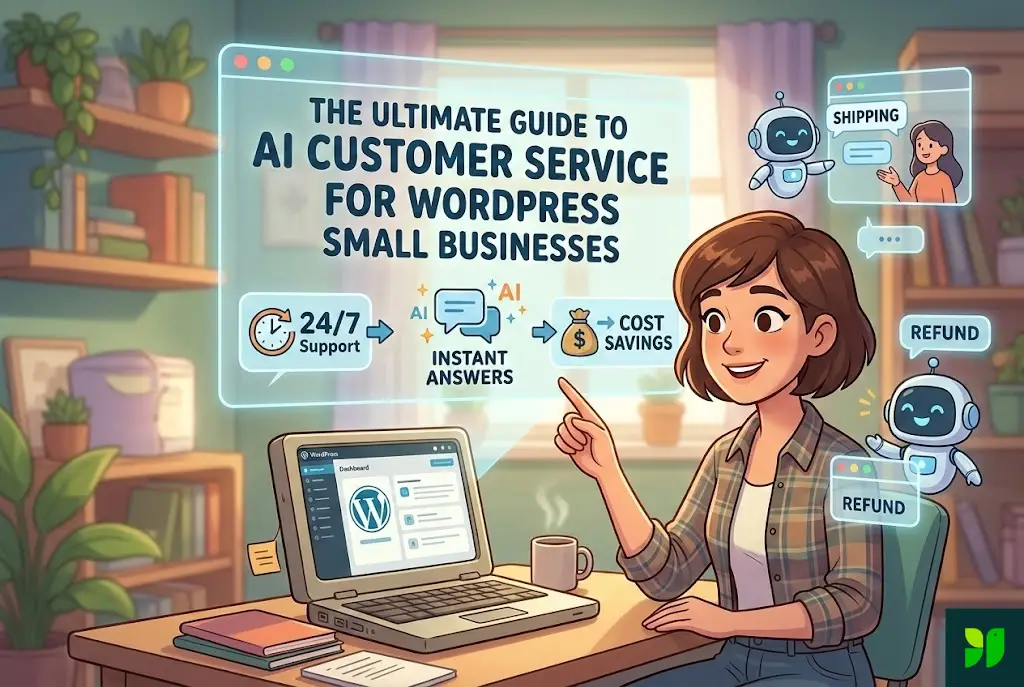
For small business owners running on WordPress, the pressure is immense. You have to be the CEO, the marketing department, the product developer, and—exhaustingly—the customer support rep. This is where AI Customer Service moves from being a “cool feature” to a foundational business strategy.
This guide will walk you through transforming your WordPress site into a self-sustaining support powerhouse that delights customers, closes sales, and gives you your weekends back.
The “Why” – The Economics of AI for Small Biz
Before we look at plugins, we have to understand the shift in consumer psychology. In 2026, “Instant” is the baseline.
1. The Cost of the “Leaking Bucket”
Most small businesses lose 20-30% of potential conversions simply because a lead had a quick question at 9:00 PM and no one was there to answer it. AI fixes this “leaking bucket” by providing 24/7 coverage.
2. Operational Efficiency (The Math)
Let’s look at the numbers. A part-time support hire costs roughly $1,500–$2,500/month. A premium AI integration for WordPress (like Tidio, Chatbase, or AI Engine) costs between $19 and $50/month. For a small business, that $2,000 monthly saving is your entire marketing budget or your next product’s development cost.
3. Language Barriers are Gone
In 2026, AI models like Gemini 3 Flash and GPT-5 handle 50+ languages natively. If a customer lands on your WordPress site from Spain but you only speak English, your AI agent can translate, troubleshoot, and sell in perfect Spanish in real-time.
Choosing Your Weapon – The Best WordPress AI Plugins
The WordPress ecosystem is flooded with “AI” tools, but many are just basic chatbots with a facelift. To succeed, you need a tool that connects to a Large Language Model (LLM).
1. Tidio + Lyro AI: The All-in-One Powerhouse
Tidio has evolved into a leader for small-to-medium businesses (SMBs). Their “Lyro” AI doesn’t just scan for keywords; it uses “Claude-level” reasoning to answer questions based on your support docs.
Best For: WooCommerce stores and service providers who want a “plug and play” solution.
Key Feature: The “Human Handoff” is seamless. If the AI detects frustration, it pings your phone immediately.
2. AI Engine (by Meow Apps): The Developer’s Choice
If you like to tinker, this is the gold standard. It allows you to connect your site directly to OpenAI, Anthropic, or Google Gemini via API.
Best For: Tech-savvy owners who want total control over the “Brain” of their bot.
Key Feature: You can create “Internal AI” for your staff to help them write product descriptions or blog posts.
3. Chatbase: The “Knowledge Base” Specialist
Chatbase isn’t a native WP plugin, but its integration is flawless. You simply give it a URL, and it “crawls” your entire site to build a brain.
Best For: Businesses with a lot of documentation, long FAQs, or complex service offerings.
Key Feature: You can upload a 100-page PDF manual, and the bot will instantly know every detail.
Step-by-Step Implementation Guide
Setting up an AI bot is easy; setting up a good one requires a strategy.
Step 1: Data Scrapping and Training
Your AI is a genius student, but it starts with a blank slate. You need to feed it:
Your FAQ page.
Your “About Us” and “Story” pages (to give it your brand’s soul).
Technical manuals or PDF guides.
Previous support tickets (scrubbed of personal data).
Step 2: Crafting the “System Prompt”
This is the most critical part of AI customer service. The System Prompt tells the AI who to be.
Bad Prompt: “You are a customer service bot for a soap company.”
Good Prompt: “You are ‘Sudsy,’ the friendly mascot for [Your Brand]. You are expert in organic skincare, you are witty and use occasional soap puns, and you never give medical advice. If asked about shipping, always mention our 3-day guarantee.”
Step 3: Setting the “Temperature”
In AI terms, Temperature refers to creativity.
For customer support, you want a low temperature (0.1 to 0.3). This ensures the AI stays factual and doesn’t “hallucinate” (make things up).
If you want the bot to help people brainstorm gift ideas, you might set it higher (0.7).
Step 4: The Visual Integration
Don’t use the default “blue bubble.” Customize the widget colors to match your WordPress theme. In 2026, users expect a cohesive experience. If the chat box looks like a third-party pop-up, they won’t trust it with their credit card questions.
Advanced Strategy – Beyond Basic Q&A
Small businesses that win in 2026 use AI for more than just “Where is my order?”
1. The AI Sales Assistant (The “Closer”)
Your bot should be trained to look for buying signals.
Scenario: A user asks, “Is this camera good for beginners?”
AI Action: “Absolutely! It has an ‘Auto’ mode that’s perfect for starters. Would you like me to add a beginner’s lens kit to your cart so you’re ready to shoot on day one?”
2. Lead Magnet Automation
Instead of a boring “Join our newsletter” pop-up, have your AI say: “I see you’re reading about SEO. I have a 10-point checklist PDF. Want me to email it to you?” This converts at a 3x higher rate than static forms.
3. Post-Purchase Support
Integration with WooCommerce allows the AI to see order status.
Customer: “Where’s my stuff?”
AI: “Hi Jane! I see order #1234 was picked up by FedEx this morning. It’s estimated to arrive by Thursday. Want the tracking link?”
The SEO Impact of AI Support
Many business owners don’t realize that a chatbot can actually improve your Google rankings.
1. Dwell Time and Bounce Rate
Google’s algorithm (especially with the 2025/2026 SGE updates) prioritizes sites where users find answers. If a user spends 5 minutes interacting with your AI and then makes a purchase, Google marks your site as “High Quality.”
2. Identifying Content Gaps
Every week, export your AI chat logs. Look for questions the AI couldn’t answer.
If 50 people asked “Do you ship to New Zealand?” and you don’t have that on your site, that’s a new blog post or landing page you need to create.
This is “User-Generated Keyword Research.” It’s gold for SEO.
Ethics, Privacy, and the Human Element
We cannot ignore the “uncanny valley.” People generally like AI until they feel lied to.
1. Transparency is Your Friend
Always label your AI.
“Hi, I’m the [Brand] AI Assistant. I can help with most things, but I’ll call a human if it gets complicated!”
2. GDPR and Data Security
Ensure your WordPress AI plugin is GDPR-compliant. In 2026, data privacy laws are stricter than ever.
Don’t allow the AI to store Credit Card numbers.
Ensure “Right to be Forgotten” settings are enabled in your plugin.
3. The “Human Fallback”
AI should be the shield, not the wall. Your best customers—the ones spending the most money—will eventually want a human. Make sure your “Human Handoff” triggers are set for:
High cart value (e.g., over $500).
Refund requests.
Angry sentiment detection.
Maintenance – The “Gardening” of AI
You don’t “set and forget” AI. You “prune” it.
Monthly Checklist:
Review “I don’t know” logs: Update your knowledge base with the answers to these questions.
Update Pricing/Promos: If you have a Spring Sale, tell your AI! There’s nothing worse than an AI quoting full price when a discount code is on the homepage.
Check Model Updates: In 2026, AI models improve every few months. Check if a faster, cheaper model (like switching from GPT-4 to Gemini 3 Flash) is available.
Summary: The Roadmap to 2027
By the time we hit 2027, AI customer service won’t be an “extra”—it will be expected. WordPress small businesses that implement this now are gaining a 2-year head start on data collection and customer loyalty.
Your Action Plan:
Audit your current support volume.
Install a plugin like Tidio or AI Engine.
Train it on your existing website content.
Test it with “trick” questions.
Go Live and monitor for 7 days.