In the digital landscape of 2026, speed isn’t just a luxury—it’s the baseline. For high-traffic WordPress sites, performance is the difference between a thriving community and a high bounce rate. When you’re serving thousands of concurrent users, the “standard” optimization tips like “installing a plugin” won’t cut it. You need a multi-layered architectural approach.
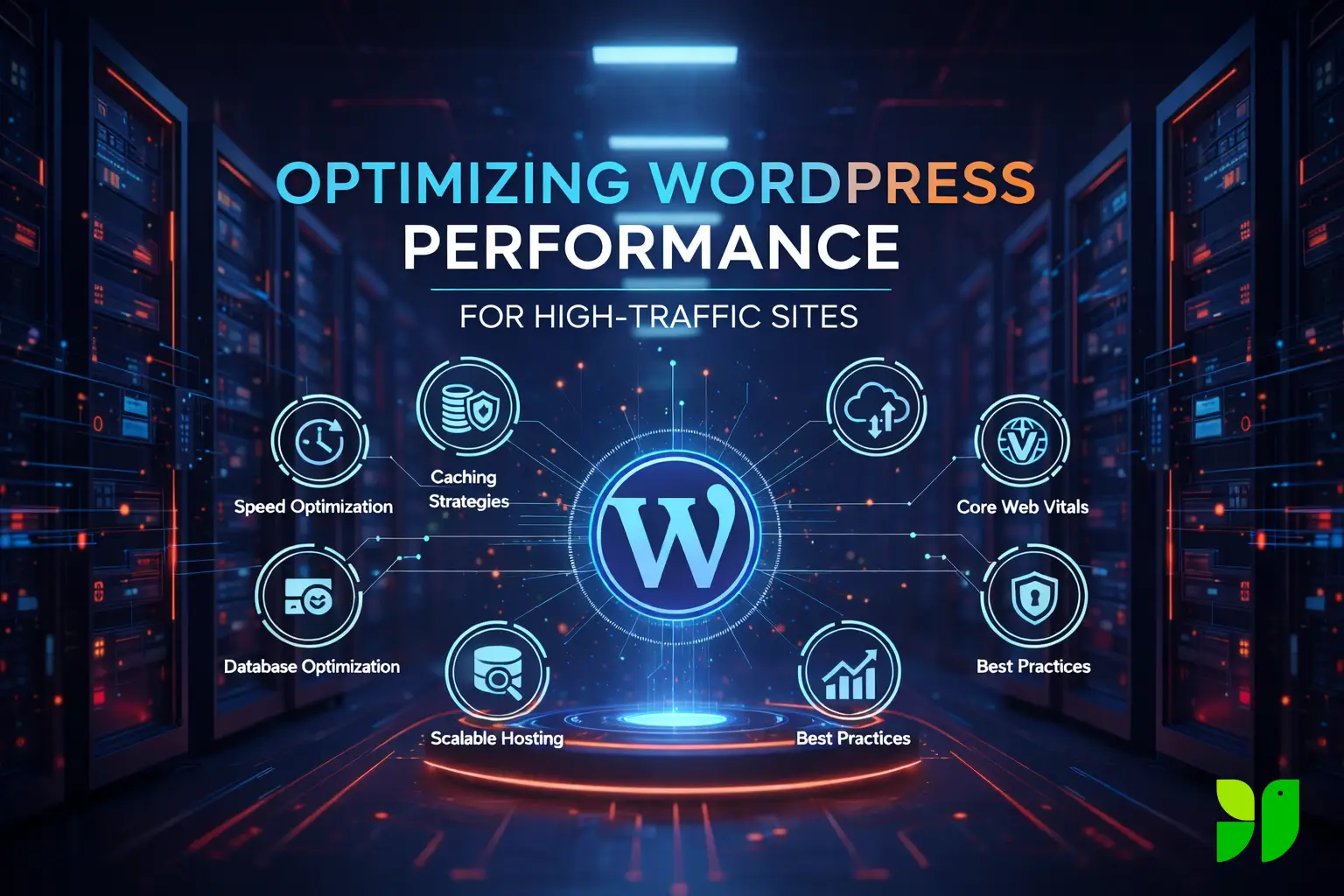
To ensure your site remains lightning-fast under pressure, we will explore these core strategies for high-traffic optimization:
- Infrastructure Scaling: Moving beyond shared hosting to auto-scaling cloud environments.
- Multi-Layer Caching: Implementing Edge, Object, and OpCode caching to reduce server strain.
- Database Refinement: Pruning bloated tables and optimizing queries for million-row databases.
- Edge Delivery: Leveraging Global CDNs to serve content closer to the user.
- Frontend Efficiency: Mastering Core Web Vitals by auditing CSS, JavaScript, and font delivery.
The Foundation: Scalable WordPress Hosting
You cannot out-optimize bad hosting. For high-traffic sites, shared hosting is out of the question. You need infrastructure that scales horizontally (adding more servers) or vertically (adding more CPU/RAM).
- Managed WordPress Hosting: Providers like Kinsta, WP Engine, or VIP offer environments pre-configured for WordPress, often with server-level caching (Nginx FastCGI) that outperforms any plugin.
- Cloud Infrastructure: If you’re tech-savvy, using AWS, Google Cloud, or DigitalOcean with a control panel like SpinupWP or Cloudways allows for auto-scaling. This ensures that if a post goes viral, your server resources expand automatically to meet the demand.
- NVMe Storage: Ensure your host uses NVMe SSDs. They offer significantly higher IOPS (Input/Output Operations Per Second) than standard SSDs, which is critical for database-heavy sites.
Advanced Caching Strategies: Beyond the Basics
Caching is the process of storing a static version of your site so the server doesn’t have to “build” the page from scratch for every visitor. For high traffic, you need three distinct layers:
Page Caching
This stores the entire HTML of a page. In 2026, Edge Caching is the gold standard. Tools like Cloudflare APO or FlyingPress allow you to store your HTML on global CDN servers. This means a user in Tokyo gets a cached version of your site from a Tokyo server, reducing the Time to First Byte (TTFB) to under 200ms.
Object Caching (Redis/Memcached)
WordPress is database-intensive. Every time a page loads, it asks the database for the post title, the author, the comments, and more. Redis stores these “objects” in the server’s RAM
Pro Tip: Using a persistent object cache can reduce database load by up to 80% on high-traffic sites.
OpCode Caching
Ensure your server is running the latest PHP version (8.3 or 8.4) with OPcache enabled. This stores precompiled script bytecode in memory, so PHP doesn’t have to parse scripts on every request.
Mastering Core Web Vitals (CWV)
Google’s Core Web Vitals are now the primary metrics for user experience. For high-traffic sites, failing these can tank your SEO.
- Largest Contentful Paint (LCP): Aim for under 2.5 seconds. This is usually improved by preloading your “Hero” image and using a CDN.
- Interaction to Next Paint (INP): This replaced FID in 2024. It measures how quickly your site responds to clicks. To optimize this, you must reduce “Main Thread” work by deferring heavy JavaScript.
- Cumulative Layout Shift (CLS): Ensure all images and ad units have defined height and width attributes to prevent “jumping” content.
Database Optimization: The Silent Killer
A bloated database is the most common cause of “backend lag” in the WordPress admin and slow dynamic queries.
| Optimization Task | Recommended Frequency | Impact on Performance |
|---|---|---|
| Clean Transients | Weekly | Removes temporary “expired” options that bloat the wp_options table. |
| Limit Post Revisions | Monthly | Prevents thousands of unnecessary database rows from old drafts. |
| Optimize Tables | Monthly | Defragments the physical storage of your database via OPTIMIZE TABLE. |
| Manage Autoloaded Data | Quarterly | Reduces the size of data loaded on every single page request (Aim for < 1MB). |
Global Content Delivery Network (CDN) Integration
A CDN is no longer optional. It offloads the heavy lifting from your origin server.
- Full Site Delivery: Don’t just offload images. Use a CDN that caches HTML, CSS, and JS at the edge.
- Image Optimization at the Edge: Modern CDNs (like Bunny.net or Cloudflare) can automatically convert your images to WebP or AVIF formats on the fly based on the user’s browser, saving massive amounts of bandwidth.
- HTTP/3 Support: Ensure your CDN supports HTTP/3 (QUIC), which is faster and more reliable, especially for mobile users on unstable networks.
Front-End Performance Best Practices
High traffic means high diversity in devices. Your front-end must be lean.
- Eliminate Unused CSS/JS: Use a tool like Perfmatters to disable scripts on pages where they aren’t needed (e.g., don’t load Contact Form 7 scripts on your homepage).
- Delay Third-Party Scripts: External scripts (Google Analytics, AdSense, Pixels) are performance killers. Use “Delay JavaScript Execution” to only load these when the user starts scrolling.
- Variable Fonts: Instead of loading five different font weights, use a single Variable Font file to reduce HTTP requests.
Security and Bot Mitigation
High-traffic sites are magnets for scrapers and bot attacks. If 50% of your traffic is malicious bots, your server is working twice as hard for no reason.
- Web Application Firewall (WAF): Use a DNS-level firewall like Cloudflare or Sucuri to block bots before they even hit your server.
- Rate Limiting: Protect your login pages and API endpoints from brute-force attacks which can spike CPU usage.
The High-Traffic Checklist
To keep your WordPress site lightning-fast under pressure, focus on the “Big Three”: Infrastructure, Caching, and Asset Management.
- Hosting: Scalable Cloud or Managed WP with NVMe.
- Caching: Layered (Edge, Object, and OpCode).
- Database: Cleaned and indexed for speed.
- Assets: WebP images, delayed JS, and minimal plugins.
Optimizing a high-traffic site is a marathon, not a sprint. Regular auditing with tools like Google PageSpeed Insights and Query Monitor will help you find bottlenecks before your users do.